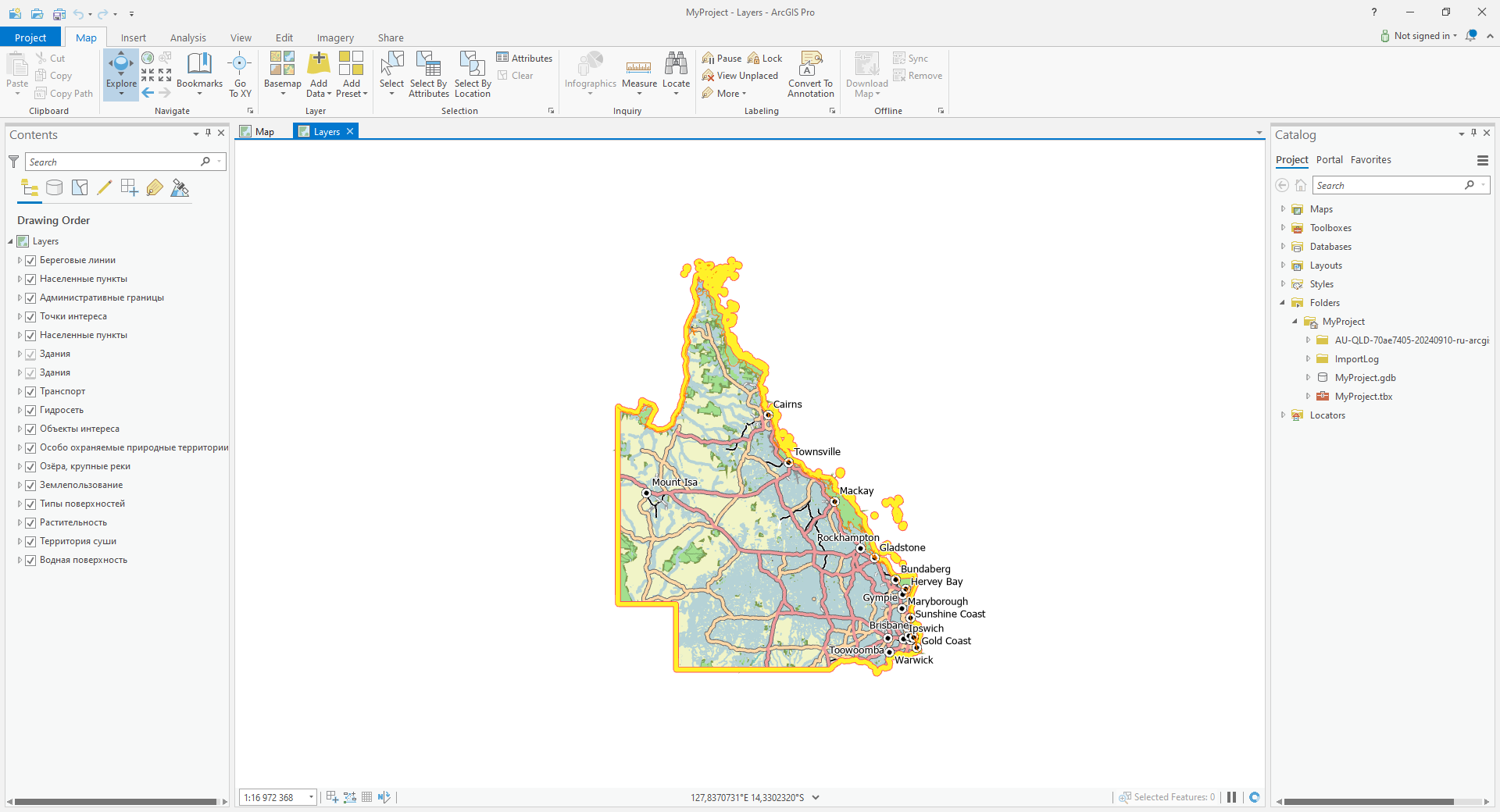
How to open a map or a project in ArcGIS Pro
Order data for your area of interest in Shape (ArcGIS) or Geodatabase (ArcGIS) format.
Download and install ArcGIS Pro, open it and create a folder for your data.
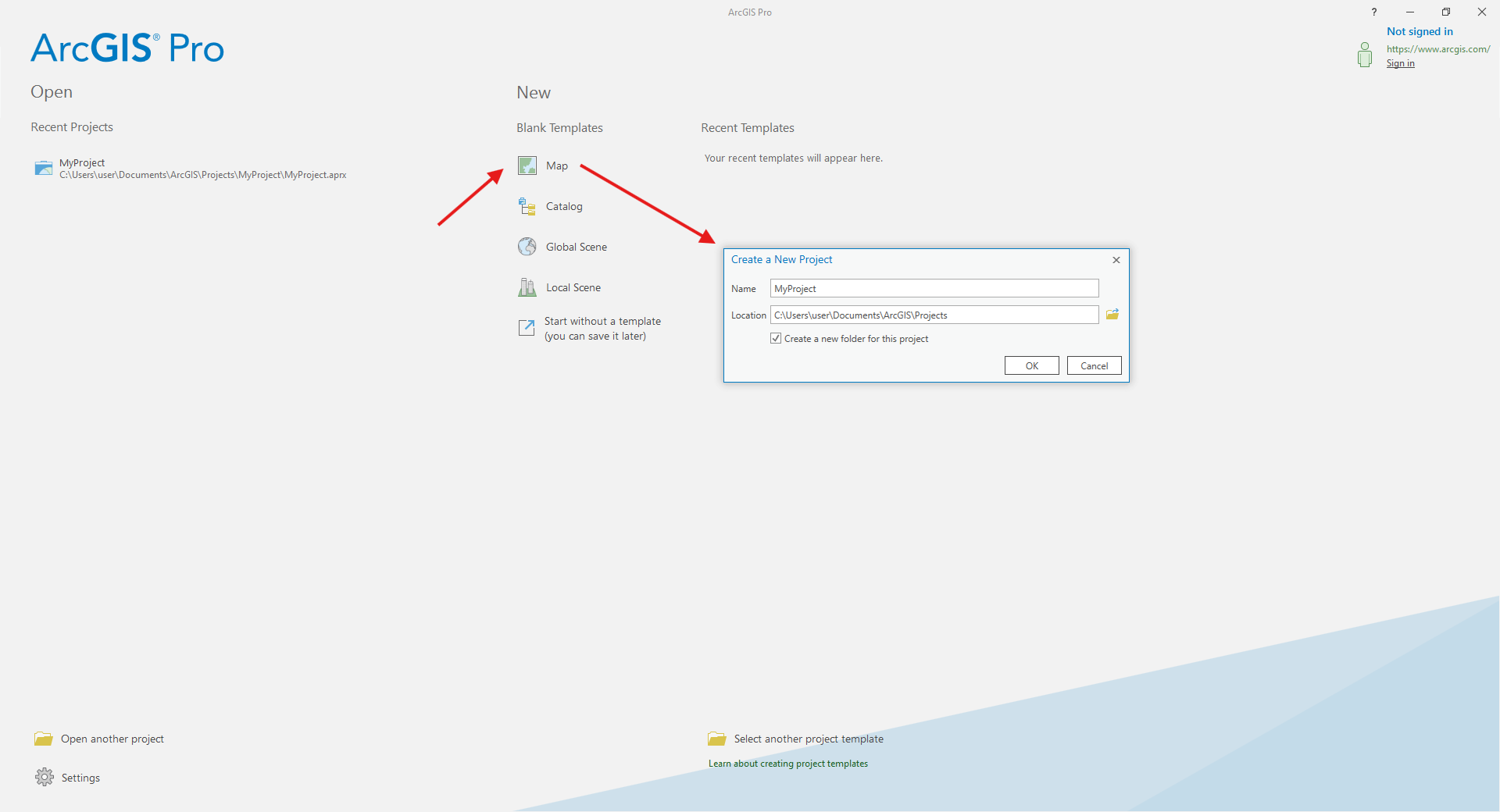
Go to the orders page and download the archive when it’s complete.
Unpack the archive.
Project includes all layers with preset styles.
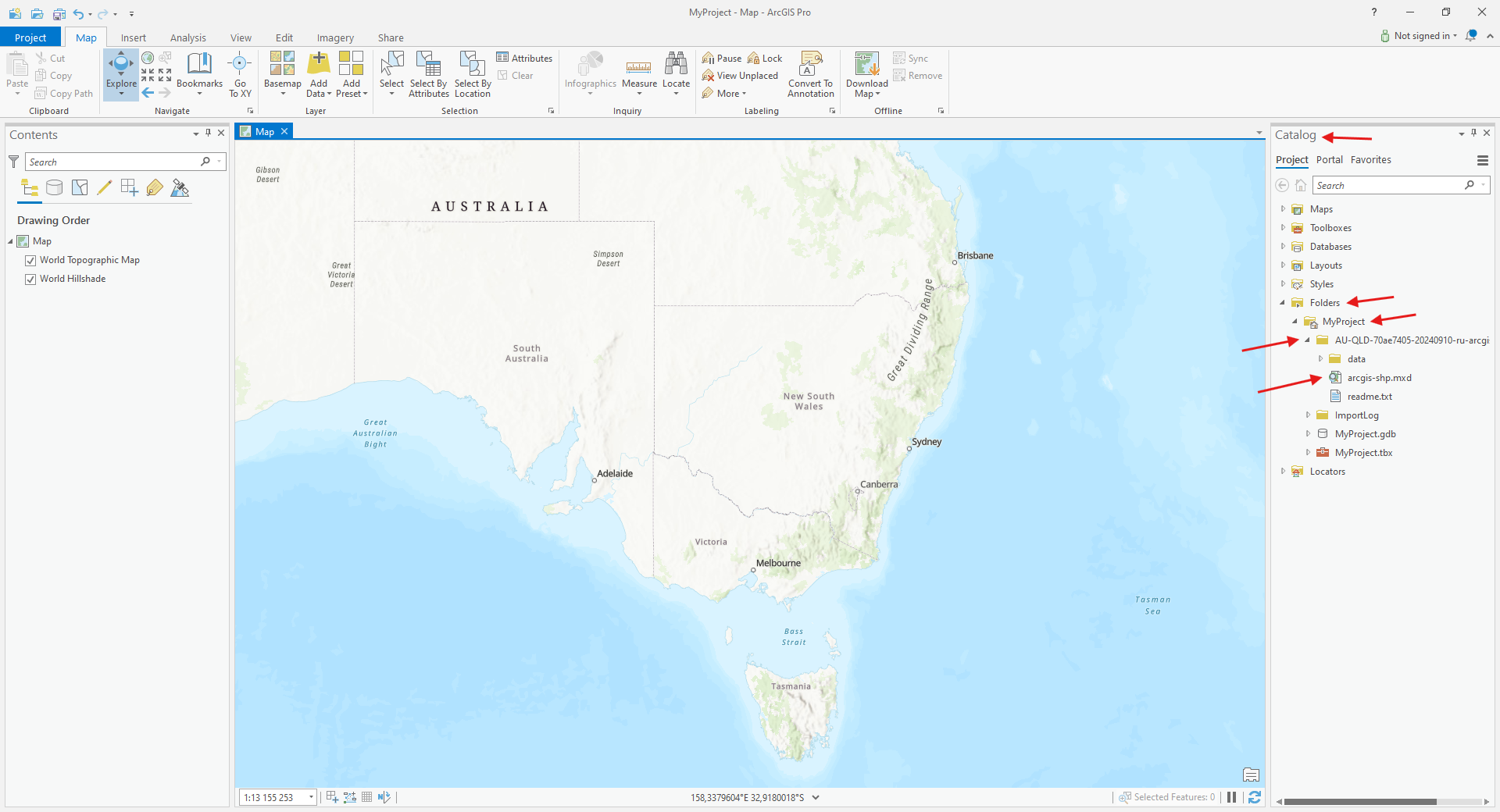
In the “Catalog” panel click “Project” → «Folders» → «MyProject». Open the folder containing the data and find MXD file.
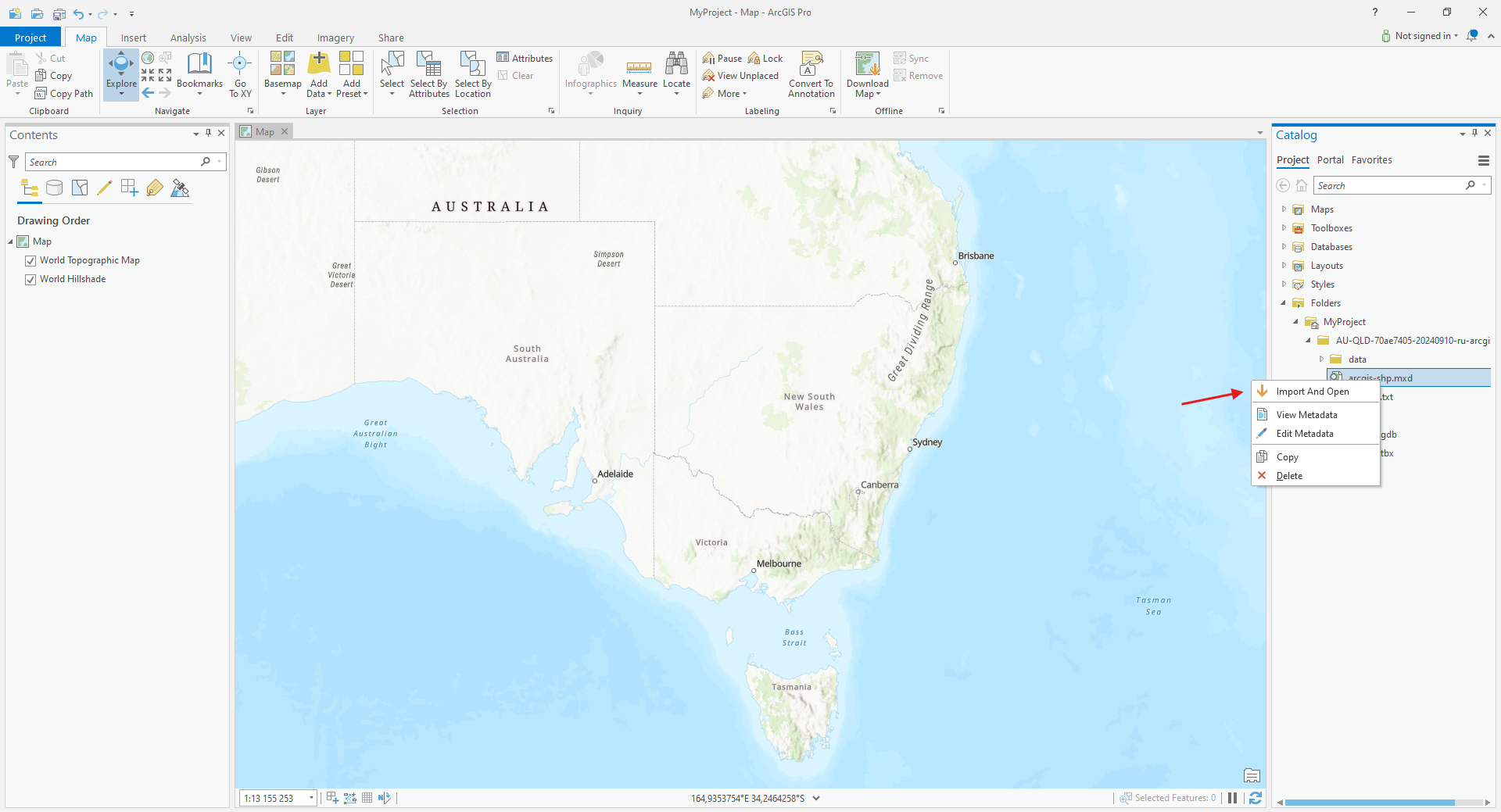
Right-click the MXD file and select «Import And Open».
Shortly the project will be imported to ArcGIS Pro and ready for work.