How to prepare map for printing
Order data for your area of interest, we recommend selecting GeoPackage format.
Go to the orders page and download the archive when it’s complete.
Unpack the archive.
Prepare the layout:
Open the project file in QGIS.
Find the part of the map you want to print.
From the main menu go to: Project –> New print layout.
Press Add map button on the toolbar to the left.
You can set up scale, scope and other parameters of the map in the “Item Properties” tab on the right. .
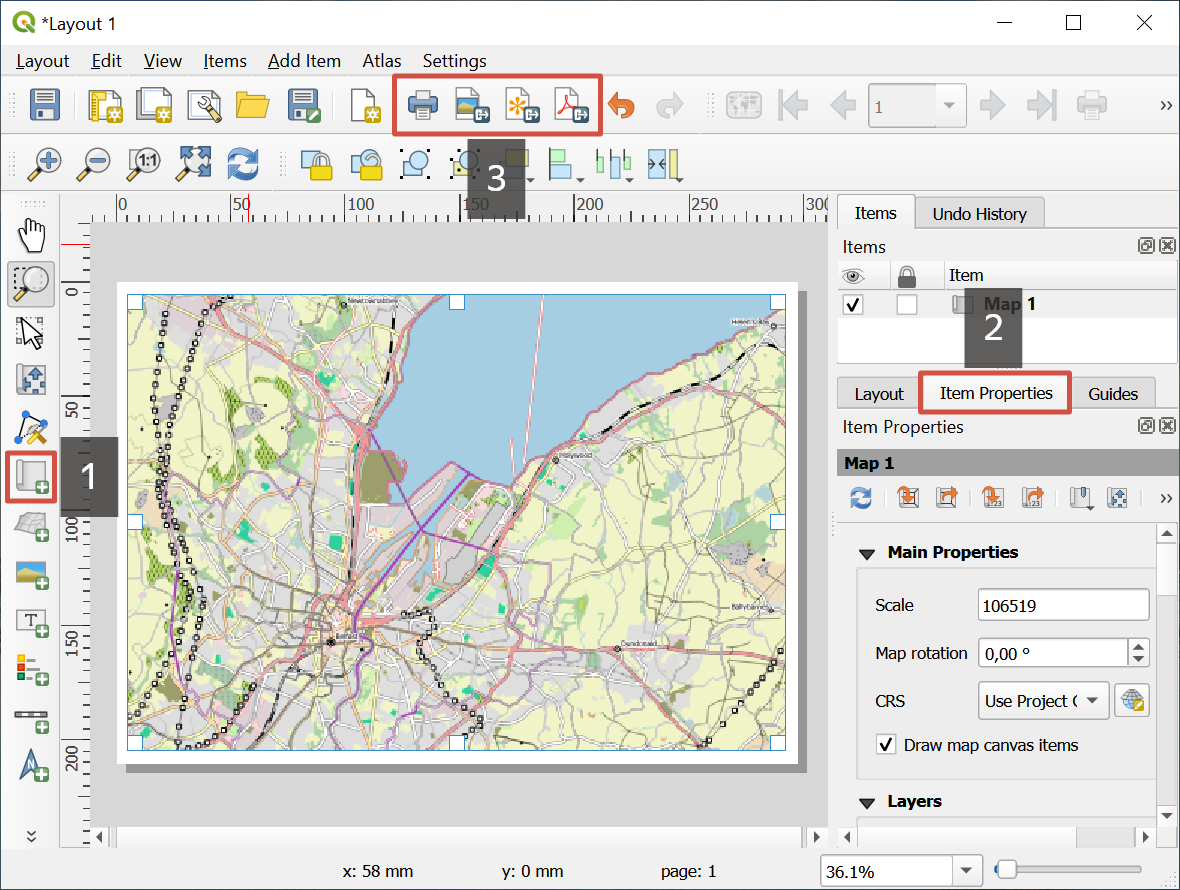
Pic. 11 Map layout for printing or saving. 1 - Add Map; 2 - Item Properties; 3 - Print button and buttons for saving options
Print the layout or save it, as PDF, SVG or image. The correspondent buttons are on the top toolbar.