How to convert file to another GIS format
Order data for your area of interest, e.g. in GeoJSON format.
Go to the orders page and download the archive when it’s complete.
Unpack the archive.
Import target layer, which GIS format you want to change, in QGIS.
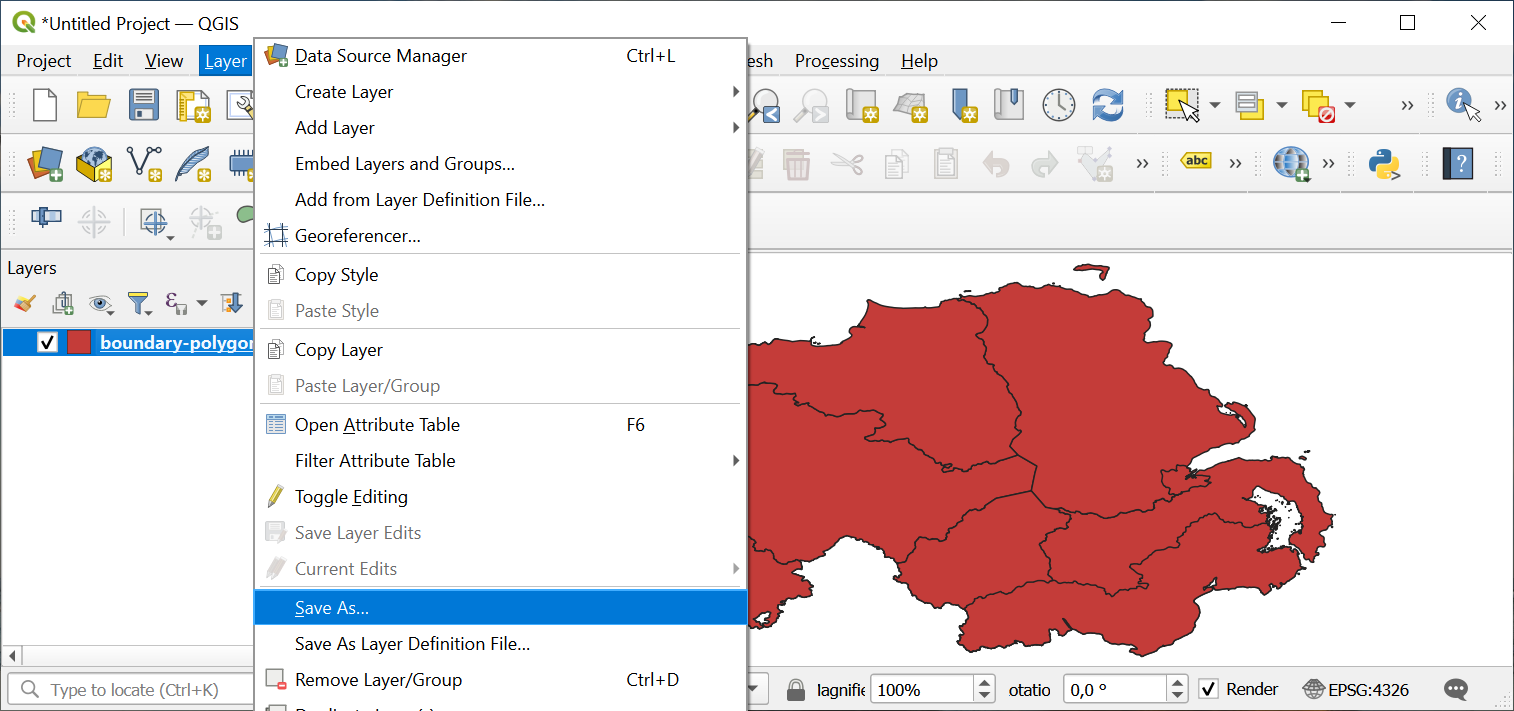
Right-click on a target layer in Layers Panel, select option “Save as…”. Thus you’ll create a copy of the layer, but in desired GIS format.
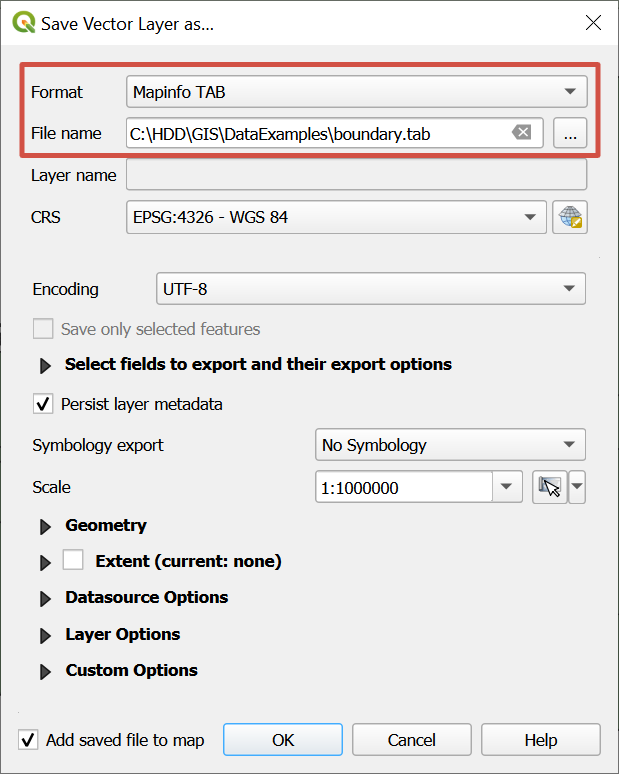
In the pop-up window set a format, a name and a path to a new file. Press “OK”.
A new layer will be created in the desired GIS format.