How to open data in Excel
Order data for your area of interest in CSV format.
Go to the orders page and download the archive when it’s complete.
Unpack the archive.
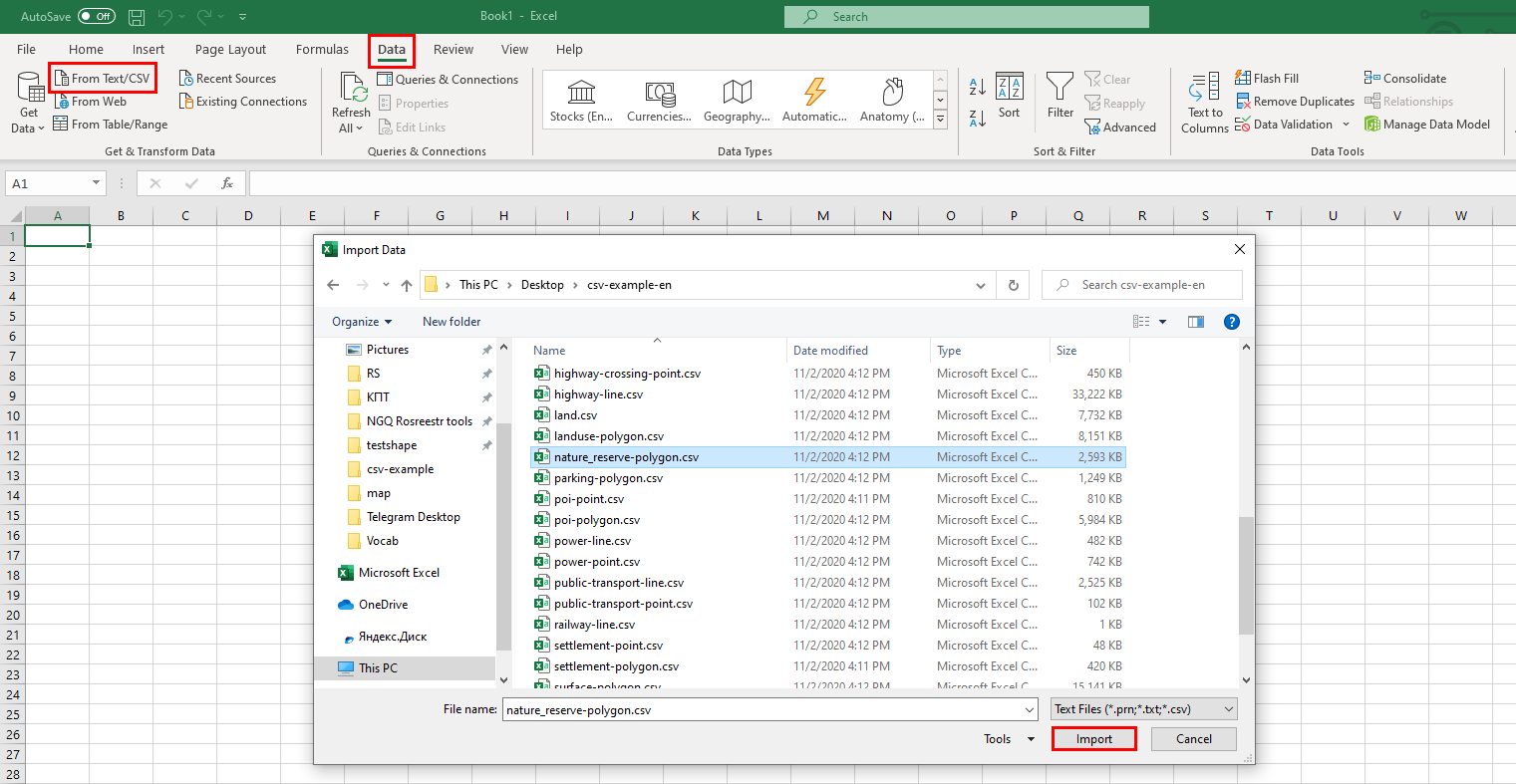
Launch Excel. Select the “Data” tab > “From Text/CSV” and in the pop-up window find the desired layer in CSV format, click “Import”.
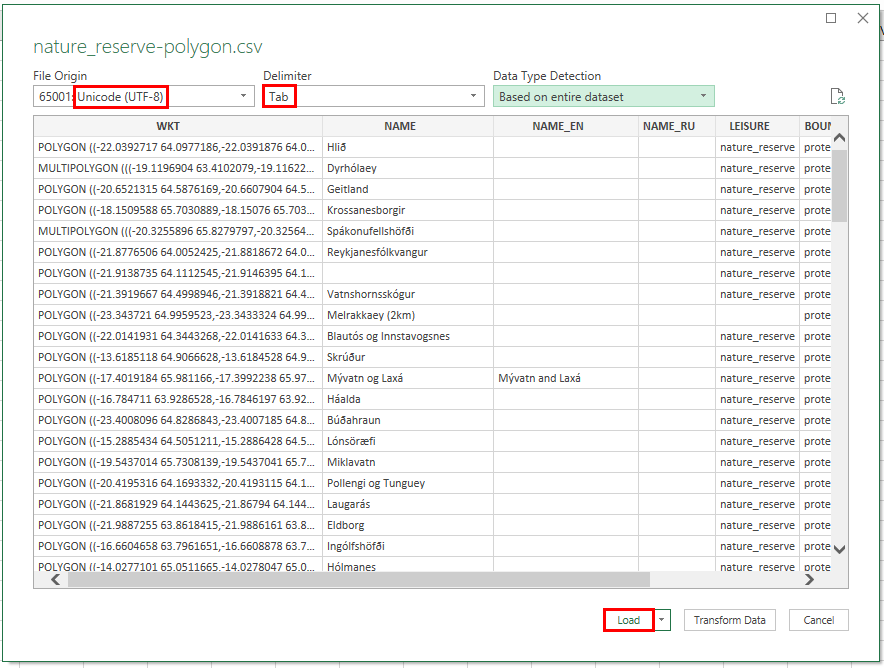
In the new window for the File Origin specify “Unicode (UTF-8)”, for Delimiter - “Tab”, then click “Load”.
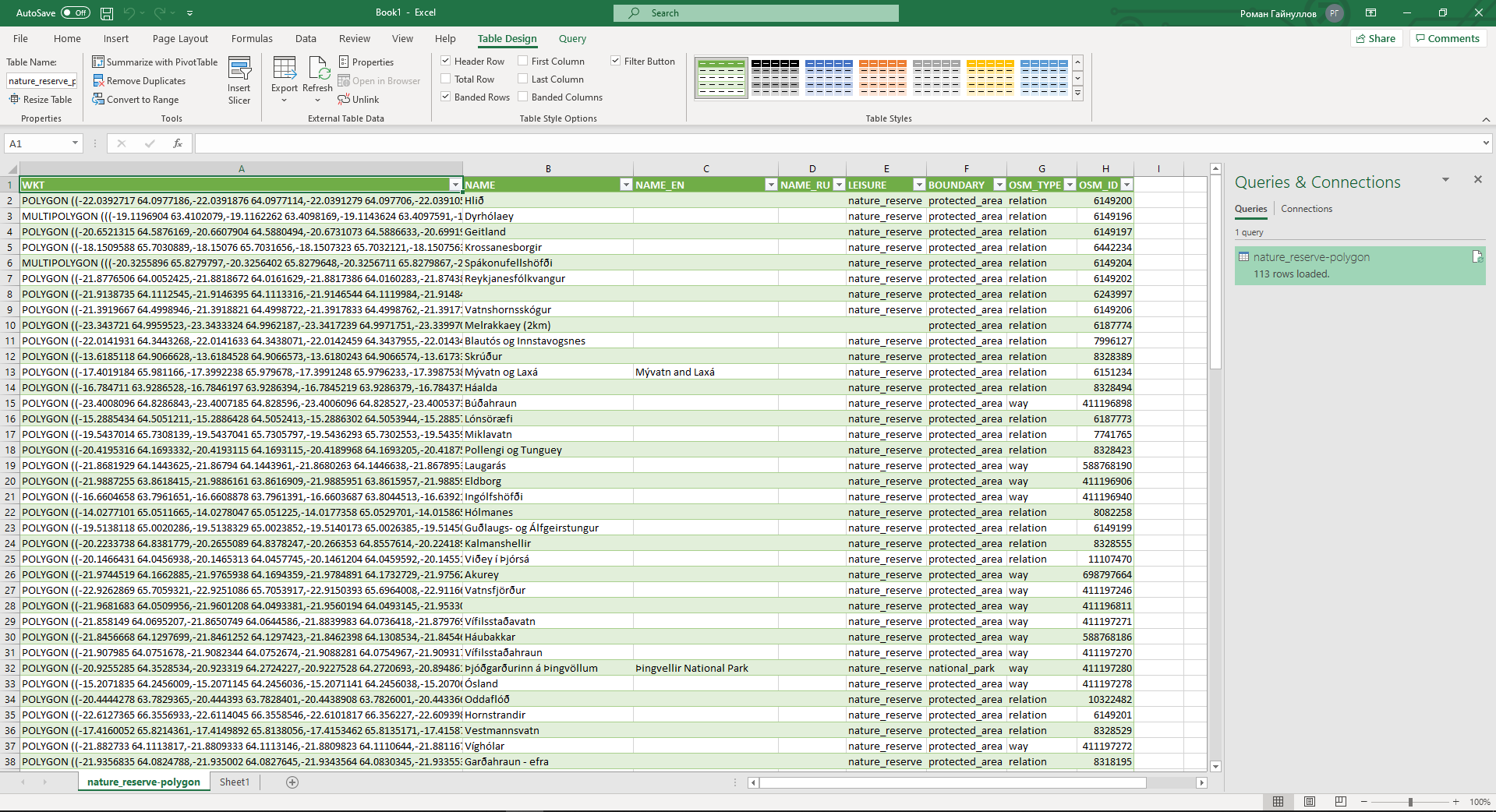
Data is added to Excel spreadsheet