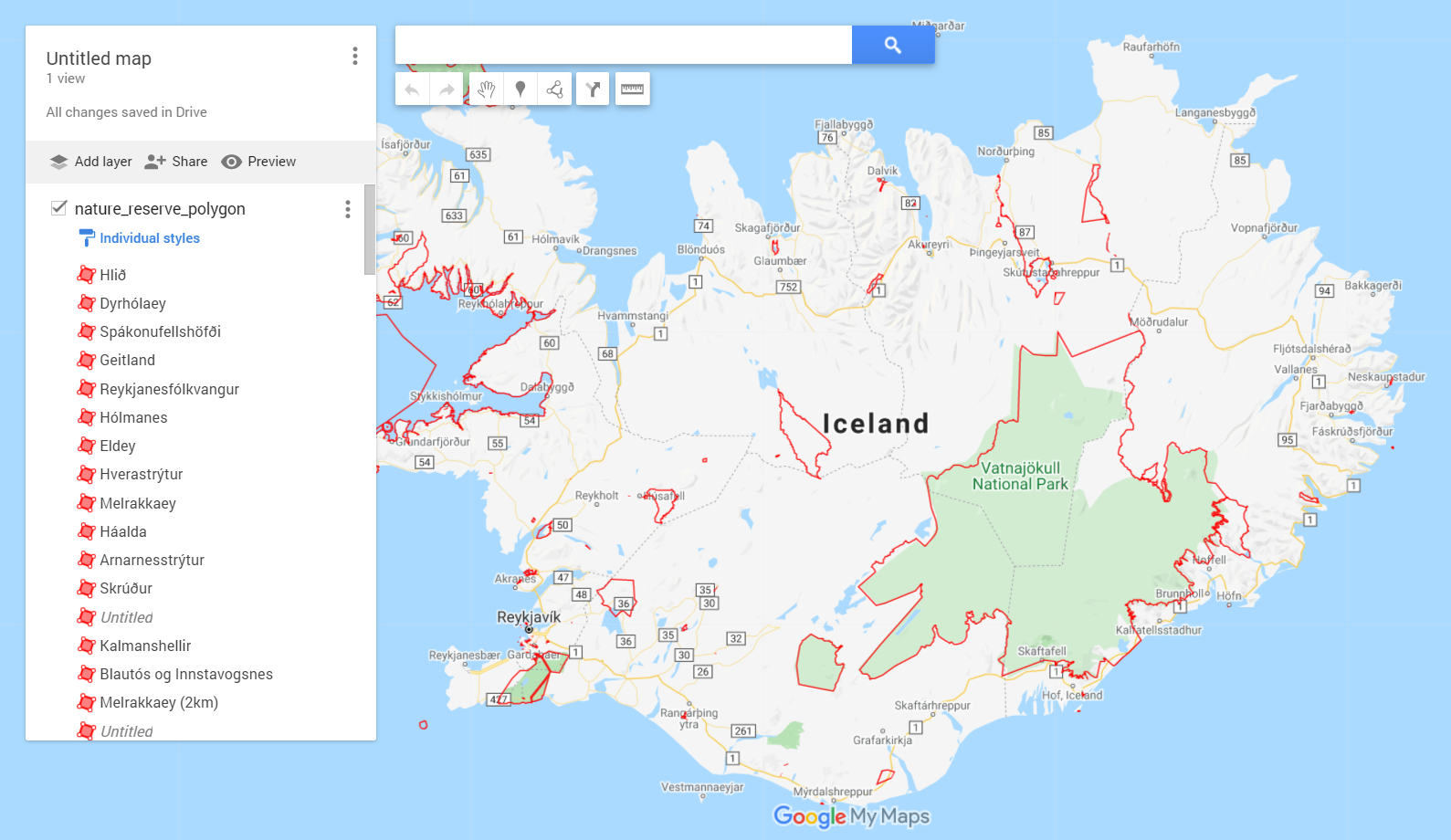
How to upload data to Google maps
Order data for your area of interest, e.g. in GeoJSON (QGIS) format.
Go to the orders page and download the archive when it’s complete.
Unpack the archive.
Convert the desired layer or layers to KML format. For conversion, you can use any online converter, for example, GeoConverter.
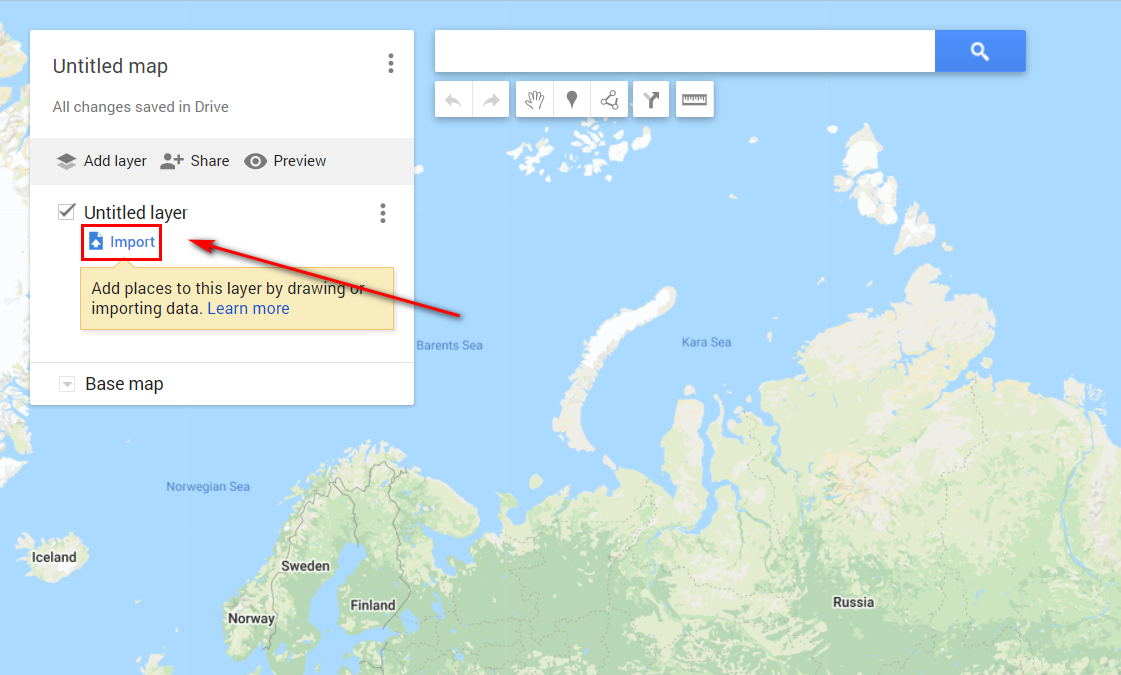
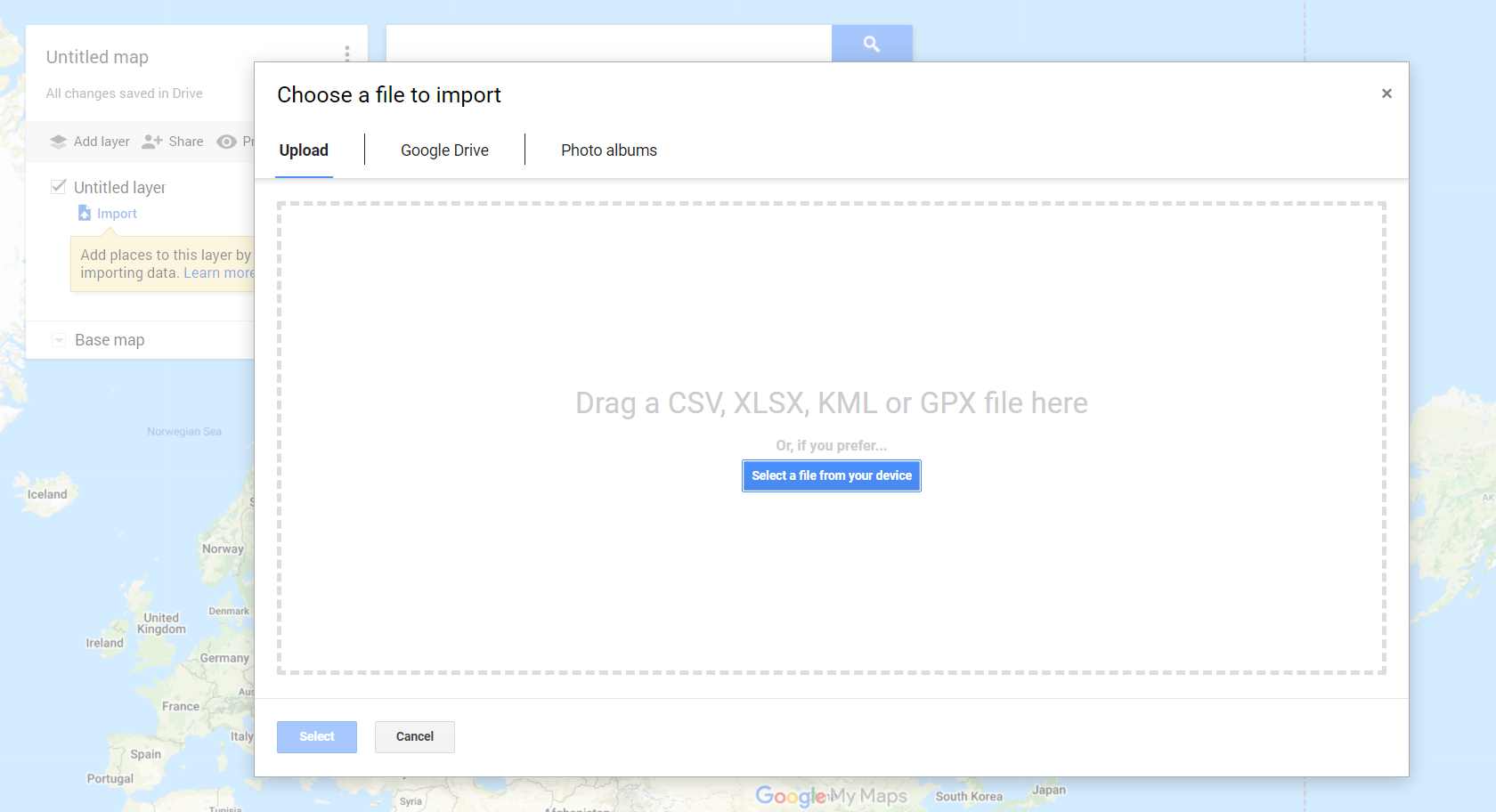
Import the resulting KML file into the map in Google My Maps.
Data is added to the map.