How to upload text data into Microsoft Power BI
Order data for your area of interest in CSV (Excel) format.
Go to the orders page and download the archive when it’s complete.
Unpack the archive.
In Power BI Desktop select “File” > “Get Data” > “Text/CSV”.
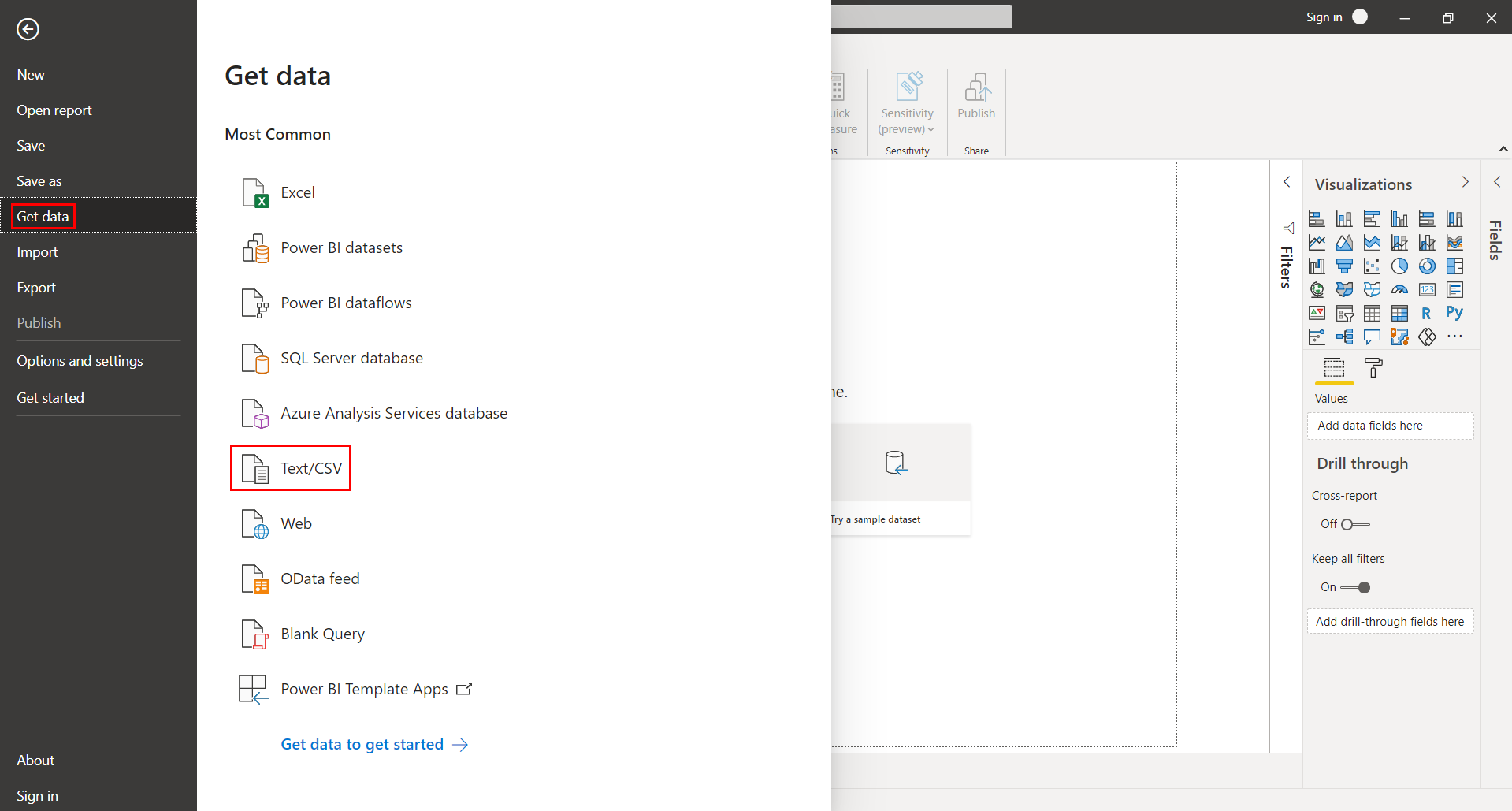
In the pop-up window specify path to the target CSV file.
Next, in the preview window, check the correctness of symbols and tabs. If the characters are not recognized correctly by your device, make sure that UTF-8 encoding is selected in the “File Origin” field.
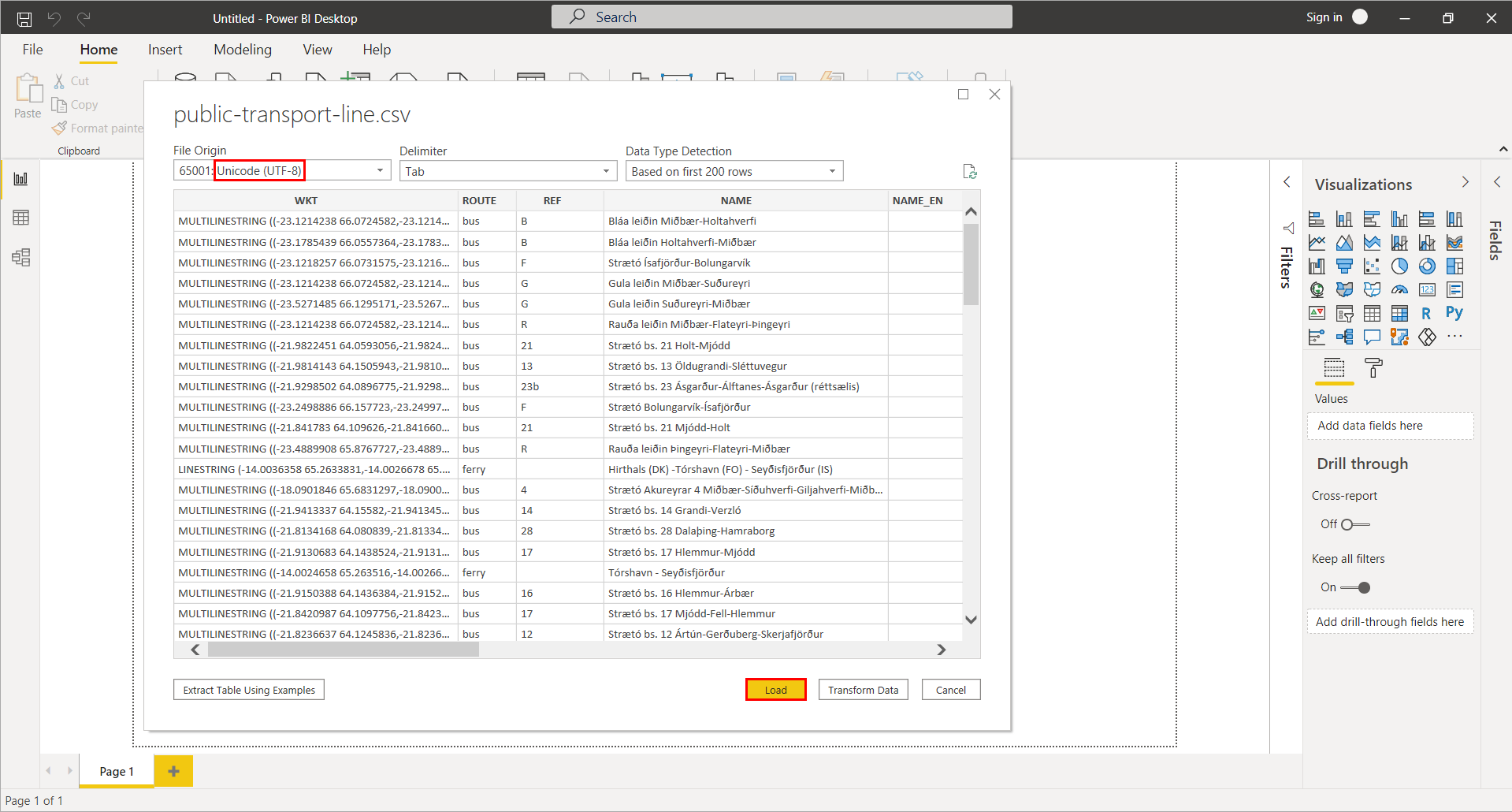
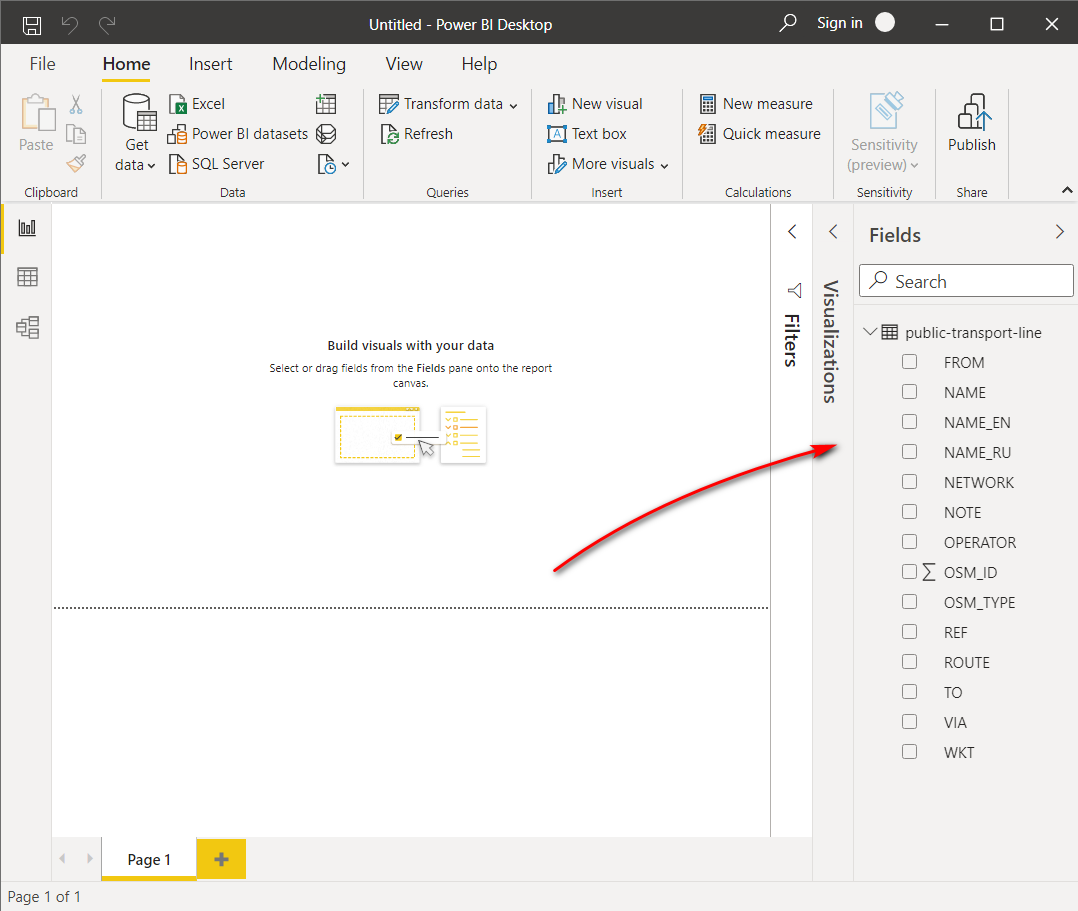
After clicking “Load” button data is ready for analysis.