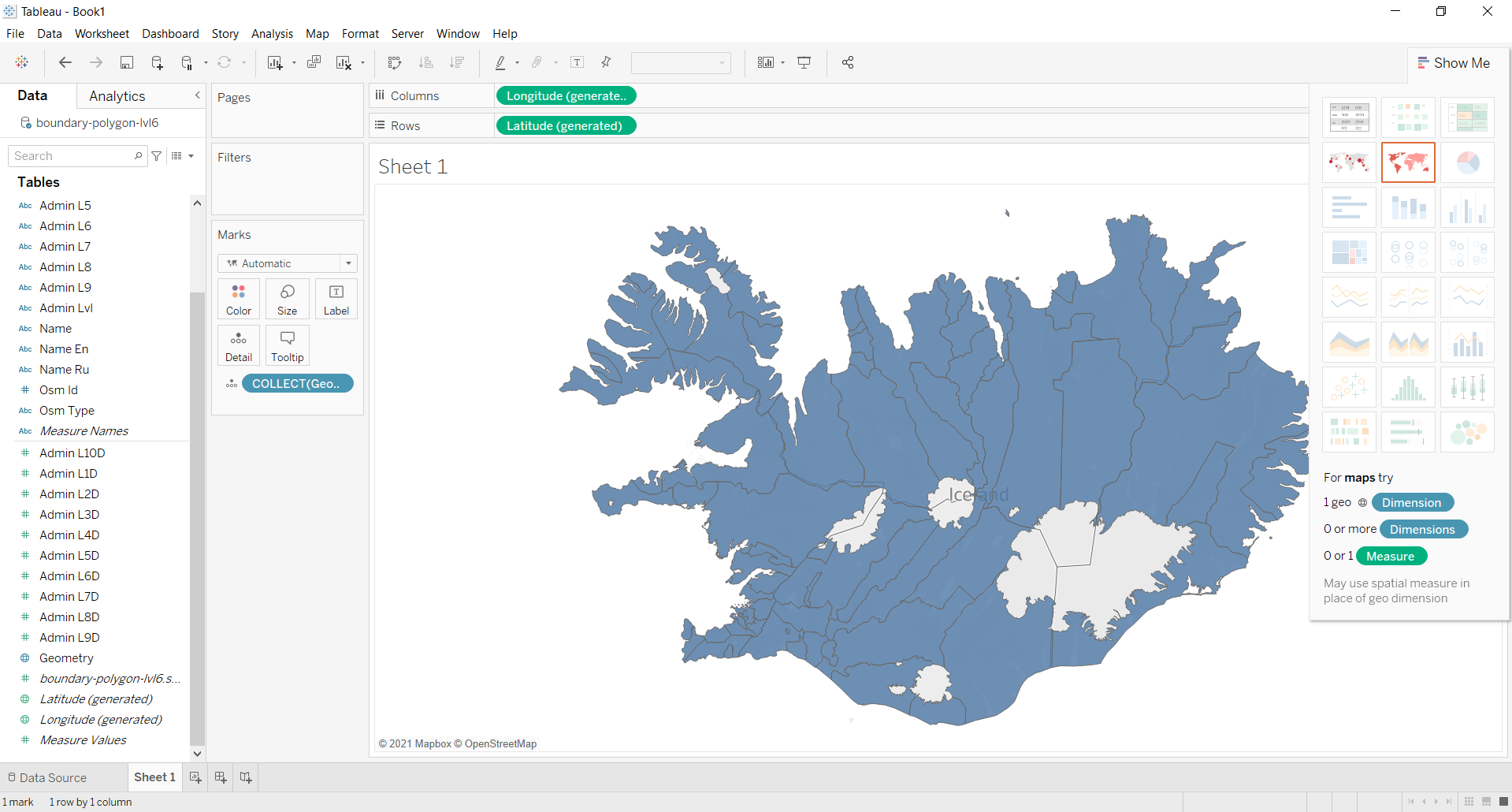
How to load layer into Tableau
Order data for your area of interest, e.g. in GeoPackage (QGIS) format.
Go to the orders page and download the archive when it’s complete.
Unpack the archive.
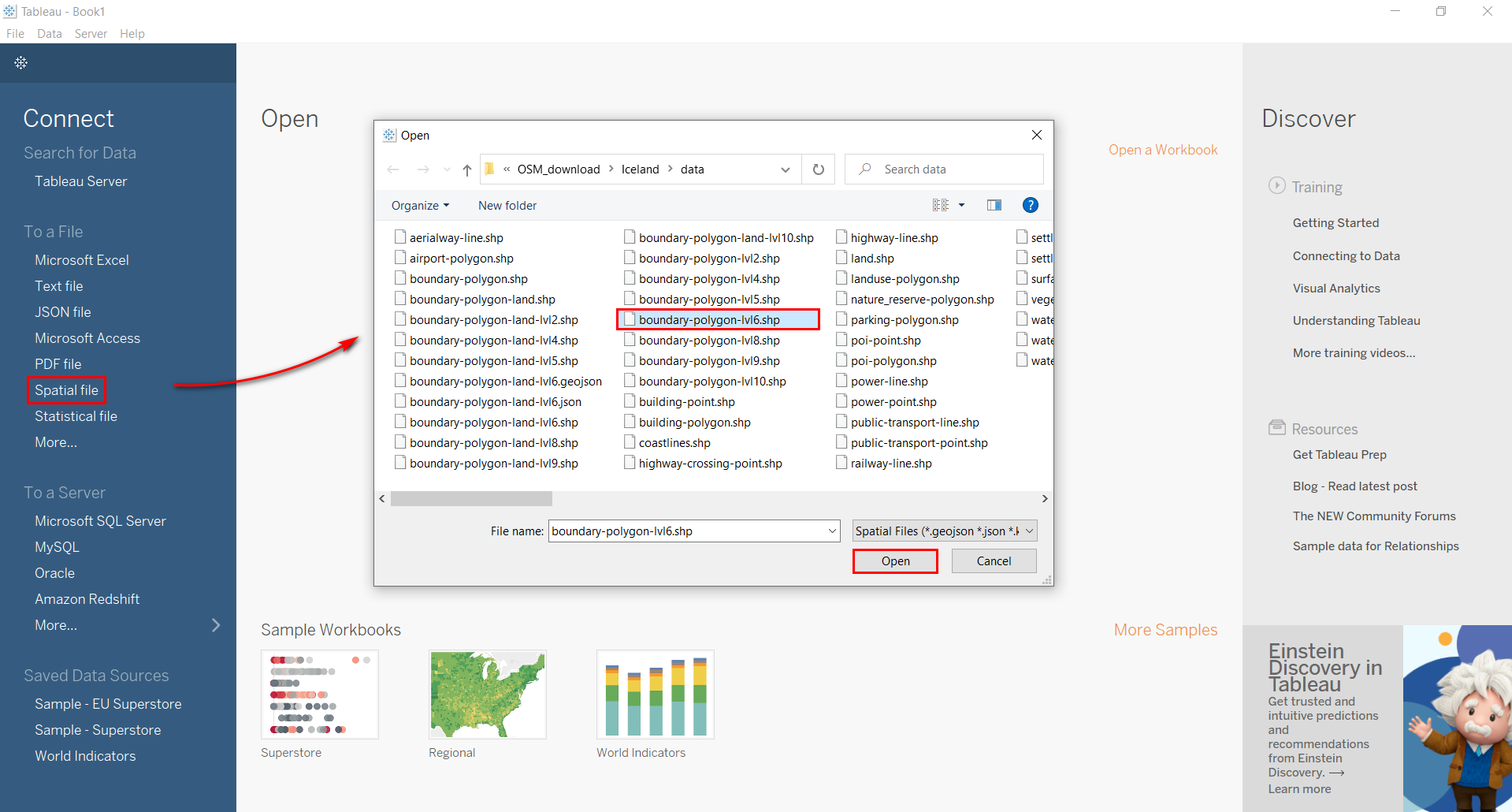
Launch Tableau, select “Connect” > “Spatial file” and choose the target layer in pop-up window.
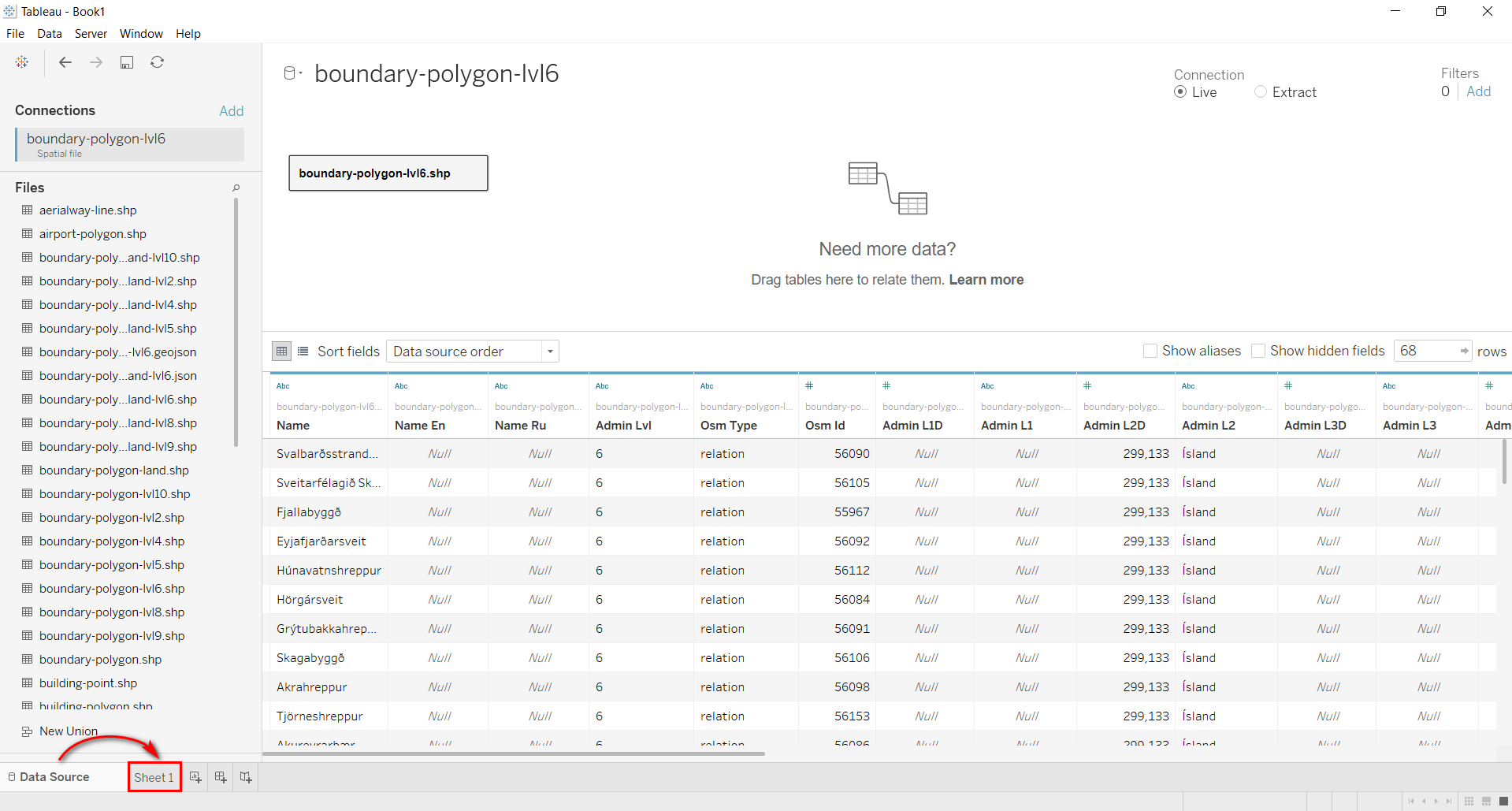
Data is opened in “Data Source” tab, switch to the worksheet tab (“Sheet 1”).
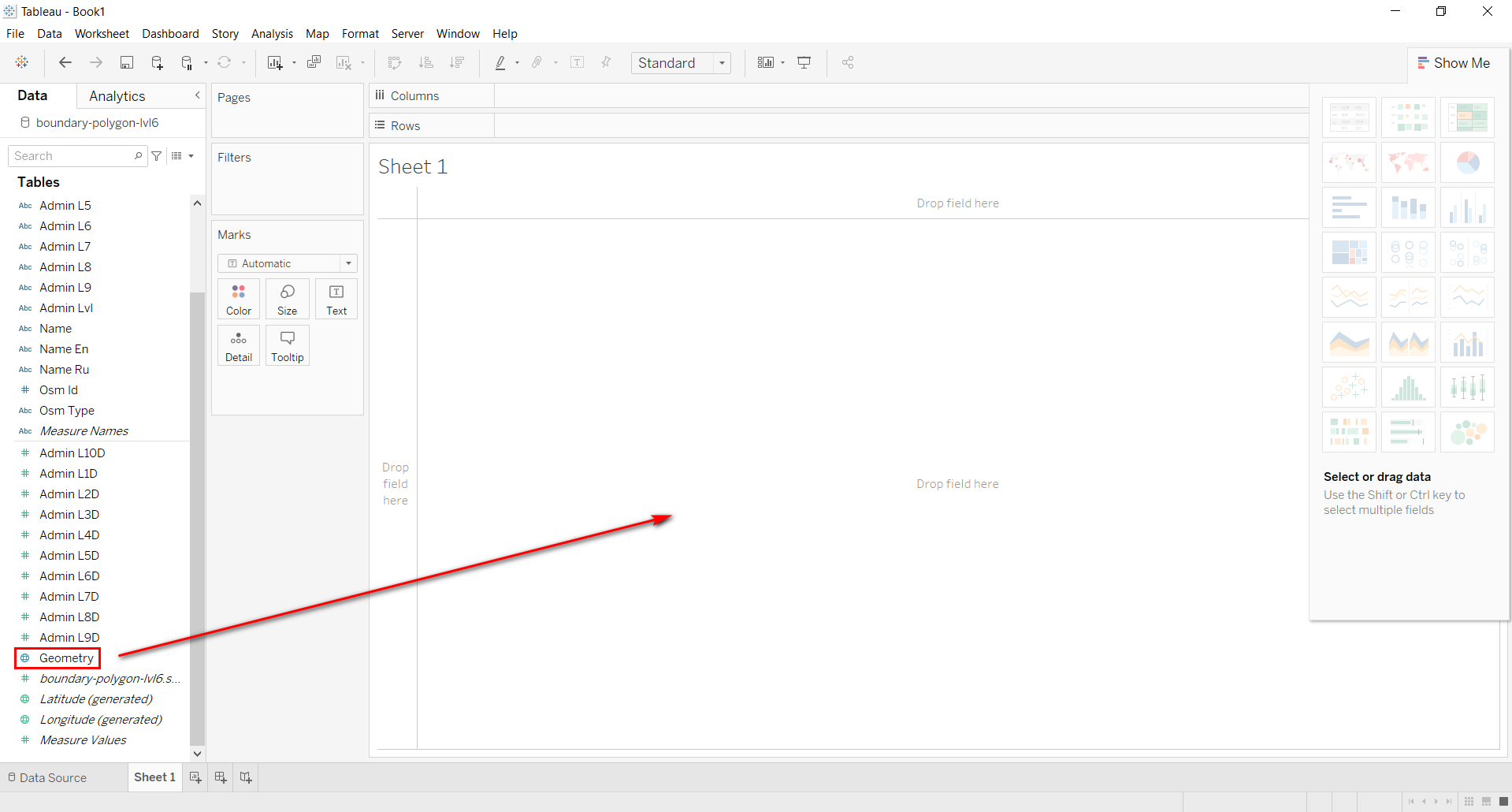
In the “Data” panel find “Geometry” field and drag it onto the workspace.
Layer is loaded into Tableau.